
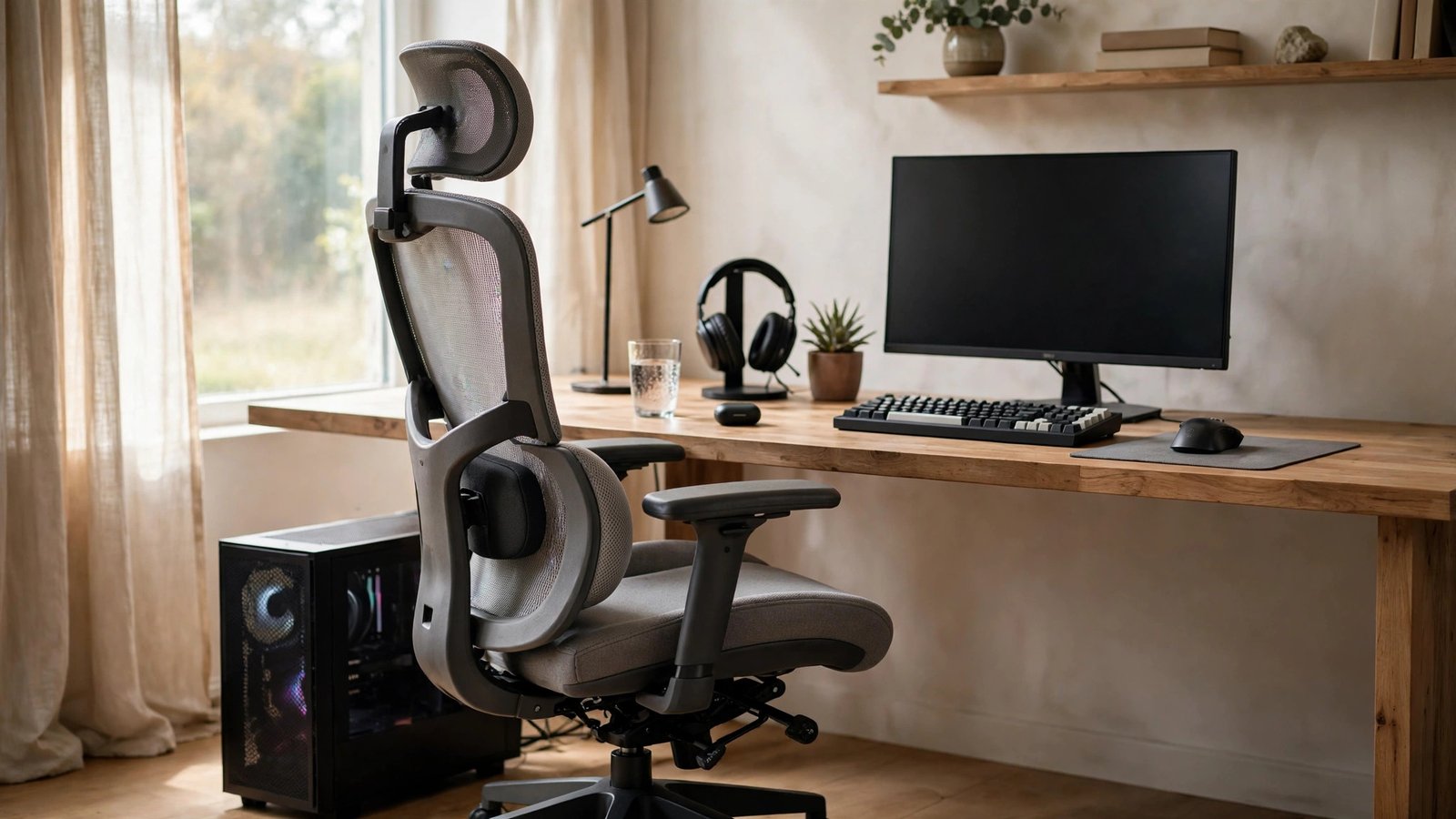
Gaming for hours in a chair that fights your spine is a slow-motion injury, and back pain is the number one complaint among long-session gamers. The good news: you do not need a $500 flagship chair to sit properly. Under $200, there are chairs with genuine lumbar support, adjustable armrests, and build quality that survives daily use — if you know what actually helps backs versus what is marketing. This guide cuts through the racing-style hype and focuses on the ergonomics that matter for real pain relief.
What Actually Helps Back Pain (Ignore the Rest)
Back pain from sitting comes from three things: poor lumbar support letting your lower spine slump, a seat that cuts circulation or forces bad posture, and immobility. The features that address these are specific. Adjustable lumbar support — a cushion or mechanism you can position exactly at your lower back’s curve — is the single most important feature; fixed lumbar pillows help only if they happen to match your body. A seat with a waterfall edge (sloping down at the front) reduces pressure behind your knees. Adjustable armrests (at minimum height-adjustable, ideally 3D or 4D) let your shoulders relax instead of hunching. And a tilt mechanism with tension control lets you recline slightly, which unloads spinal discs — the 100-to-110-degree recline is the sweet spot research supports. Racing stripes, oversized bolsters, and “gaming” branding do nothing for your back. The OSHA computer workstation guidelines describe neutral sitting posture in plain terms worth reading before you shop.
The Best Types Under $200
At this budget, you are choosing between three categories. Ergonomic mesh-back office chairs are the back-pain winner: breathable mesh that flexes with your spine, usually with adjustable lumbar, often from office brands that prioritize function over looks — many excellent options sit between $150 and $200. Budget racing-style gaming chairs dominate the marketing, and the decent ones (from established brands, not random marketplace sellers) offer acceptable comfort with flashy looks, but their lumbar “support” is usually a strap-on pillow and their ergonomics lag behind mesh office chairs at the same price. Big-and-tall or wide-seat models matter if you are larger — a chair that is too small forces perching, which destroys posture regardless of features. For pure back-pain relief per dollar, a well-reviewed ergonomic mesh office chair beats a racing-style chair at this price nearly every time.
Fit: The Spec Sheet Nobody Reads
A chair with perfect features in the wrong size will still hurt you. Check the seat depth: with your back against the backrest, you want two to three fingers of space between the seat edge and the back of your knees. Seat height should let your feet rest flat with thighs roughly parallel to the floor — if you are shorter or taller than average, verify the cylinder’s height range rather than assuming. Weight capacity is a durability signal as much as a fit one: chairs rated well above your weight use sturdier mechanisms that stay tight longer. And backrest height matters for upper-back support — if you are tall, a mid-back chair leaves your shoulder blades unsupported. Measure yourself against the listed dimensions before ordering; returns on chairs are a hassle you want to avoid.
Setup Matters as Much as the Chair
A great chair cannot fix a bad workstation. Set the chair so your elbows rest at roughly 90 degrees with shoulders relaxed — this usually means raising the chair and using a footrest if your feet dangle. Position the monitor so the top of the screen is at or slightly below eye level, about an arm’s length away; monitor arms or even a stack of books beat craning your neck down at a laptop. Keep the keyboard and mouse close enough that you are not reaching. And the most underrated back-pain intervention costs nothing: stand up and move for two to three minutes every hour. No chair, at any price, makes eight motionless hours healthy. Set a timer if you have to — your spine will notice the difference within a week. The Mayo Clinic’s office ergonomics guide covers the full workstation setup with clear diagrams.
Red Flags and What to Avoid
The sub-$200 market has traps. Avoid no-name chairs with hundreds of suspiciously similar five-star reviews and no detailed critical reviews — the listing will vanish when complaints accumulate. Be skeptical of “massage” lumbar pillows (a gimmick), chairs without any tilt tension adjustment (you will either flop back or fight the chair), and fixed armrests at the wrong height for you (worse than no armrests). Check the warranty: a one-year warranty on a chair you will use 2,000+ hours is a warning; two years or more suggests the maker expects it to last. And ignore weight-capacity inflation — if a $120 chair claims to support 400 pounds, the number is fiction. Buy from retailers with real return policies, because comfort is personal and even well-reviewed chairs do not fit everyone.
For back pain under $200, prioritize adjustable lumbar support, a waterfall seat edge, height-adjustable armrests, and a proper recline mechanism — features ergonomic mesh office chairs deliver better than racing-style gaming chairs at this price. Then set up the whole workstation correctly and stand hourly; the chair is only half the solution.
Conclusion
The best gaming chair for back pain under $200 is usually not the flashiest one — it is an ergonomic mesh-back chair with adjustable lumbar support that fits your body, paired with a correctly set-up desk and hourly movement breaks. Shop by dimensions and adjustment features rather than looks, verify the fit against your measurements, avoid gimmicks and no-name listings, and give any new chair two weeks of proper setup before judging it. Your back does not care about racing stripes; it cares about support, and $200 buys real support if you spend it on the right things. For more setup walkthroughs, browse our gaming guides, meet the team behind them, or send us your comfort questions.
Frequently Asked Questions
Are gaming chairs bad for your back?
Not inherently, but many budget racing-style chairs prioritize looks over ergonomics — fixed lumbar pillows and aggressive bolsters suit few bodies. A well-designed chair of any style with adjustable lumbar support is fine; the problem is that sub-$200 racing chairs often lack meaningful adjustability.
How long should a $200 chair last?
Three to five years of daily use is reasonable for a well-built chair at this price. The gas cylinder and armrest mechanisms usually fail first. Chairs with longer warranties and higher weight ratings than you need tend to last longer.
Will a new chair fix my back pain completely?
It can help significantly if your pain comes from poor sitting posture, but chairs do not fix everything. Persistent or severe back pain deserves a doctor or physical therapist — and no chair replaces movement, exercise, and core strength.
Mesh or leather for long gaming sessions?
Mesh breathes better and flexes with your back, making it the better pick for long sessions and warm rooms. Faux leather looks premium but gets hot and sticky, and cheap bonded leather peels within a couple of years. At under $200, mesh is usually the smarter material.
Do I need a footrest with my gaming chair?
If raising the chair to the right elbow height leaves your feet dangling, yes — a footrest (or even a sturdy box) restores proper leg support and takes pressure off your lower back. It is a $20 fix for a common posture problem.
Leave a Reply