
Breaking

Author: admin

  • What Should I Read to Develop a Growth Mindset as an Adult

    What Should I Read to Develop a Growth Mindset as an Adult

    Somewhere along the way, most adults quietly decide they are done becoming: talents feel fixed, failures feel like verdicts. Psychologist Carol Dweck’s research names the two mindsets behind this — fixed (“my abilities are static”) and growth (“abilities develop through effort”). The good news: mindsets are beliefs, not traits, and beliefs can change at any age. Books are among the most efficient inputs: a great book rewires the stories you tell yourself about effort and potential. Here are the ten books that do that, in reading order — or start with Carol Dweck’s TED talk on believing you can improve, the perfect 10-minute primer.

    Start Here: The Foundation

    Mindset: The New Psychology of Success by Carol S. Dweck is the non-negotiable first read — it is the source. Dweck, the Stanford psychologist who originated the research, lays out the fixed-versus-growth distinction with decades of studies: how mindsets form in childhood, how they shape responses to challenge, and — critically for adults — how they can be changed. The chapters on business, relationships, and parenting show the mindset operating far beyond school. Read it actively: notice your own fixed-mindset triggers as she describes them. Heed her caution about the “false growth mindset” — slapping the label on empty praise without substance. Real growth mindset means embracing the process of getting better, discomfort included. The Greater Good Science Center’s growth mindset resources summarize the research for a quick refresher between chapters.

    How Learning Actually Works

    Growth mindset says you can improve; these books show you the mechanics of improvement. Peak: Secrets from the New Science of Expertise by Anders Ericsson and Robert Pool demolishes the “natural talent” myth with research on deliberate practice — the specific, uncomfortable, feedback-driven kind of practice that actually builds skill. It is the scientific backbone of “effort matters,” and it is empowering: expertise is built, not born. Make It Stick: The Science of Successful Learning by Peter C. Brown, Henry Roediger, and Mark McDaniel translates cognitive science into learning techniques — retrieval practice, spacing, interleaving — that make adult learning dramatically more effective. If you have ever felt “too old to learn,” this book is the antidote: your brain learns fine; your methods were just inefficient. The Talent Code by Daniel Coyle explores how deep practice builds myelin and skill, with vivid stories from talent hotbeds. Together, these three convert the growth mindset from philosophy into a training manual: here is exactly how getting better works.

    Effort, Persistence, and the Long Game

    Knowing you can grow is step one; sustaining effort through the ugly middle is step two. Grit: The Power of Passion and Perseverance by Angela Duckworth presents her research showing that sustained passion-plus-perseverance predicts achievement better than talent across domains — West Point cadets, spelling bee champions, salespeople. The practical chapters on developing grit from the inside (interest, practice, purpose, hope) give adults a framework for the long haul. Bounce: Mozart, Federer, Picasso, Beckham, and the Science of Success by Matthew Syed attacks the talent myth from the sports and arts angle, showing how thousands of hours of purposeful practice — not gifts — created the greats. Read these when your growth mindset is intellectually accepted but emotionally shaky — they supply the motivational fuel for years-long projects.

    Systems, Habits, and Focus

    Mindset without mechanics fades. Atomic Habits by James Clear is the best operational manual for the growth mindset: tiny changes, remarkable results. Its core insight — that you do not rise to your goals, you fall to your systems, and that identity-based habits (“I am a reader” vs. “I’m trying to read”) drive lasting change — is growth mindset made actionable. The chapters on environment design and habit stacking turn “believe you can grow” into “here is Tuesday’s plan.” Deep Work: Rules for Focused Success in a Distracted World by Cal Newport addresses the other half: the capacity for cognitively demanding work is itself a growable skill, and in an age of distraction, depth is a superpower. Newport’s rules for cultivating focus are essentially deliberate practice applied to attention. For adults juggling jobs and families, these two books answer the practical question the mindset research raises but does not fully solve: how do I actually get better given my real, constrained life? The answer: smaller, deeper, systematic.

    Meaning, Adversity, and the Obstacle

    The final shelf addresses the hardest part of growth: suffering and failure. Man’s Search for Meaning by Viktor E. Frankl is the profoundest book on this list — Frankl’s account of surviving Auschwitz and his conclusion that meaning, not comfort, sustains humans. It reframes every setback you will ever face: suffering is inevitable, but our response to it is the last human freedom. No growth mindset survives contact with real adversity without this perspective. The Obstacle Is the Way by Ryan Holiday translates Stoic philosophy into a modern manual for turning adversity into advantage — the impediment to action advances action. It is the mindset book for bad days: when the growth mindset feels naive, Stoicism provides the tougher frame. Read Frankl for depth and Holiday for daily application. Together they complete the arc: Dweck tells you growth is possible, the science books tell you how, the habit books tell you when, and these two tell you why it is worth it even when it hurts.

    How to Read So It Actually Changes You

    Ten books read passively change nothing; one book read actively changes everything. Read with a pen, and after each book write a one-page “what I will do differently” note — translating insight into behavior is where change happens. Read one at a time with implementation gaps; binge-reading produces inspiration that evaporates. Discuss them — a book club or friend multiplies retention. And reread: the right book at 45 hits differently than at 35. The goal is to slowly replace “this is just how I am” with “this is who I am becoming.”

    Start with Dweck’s Mindset for the foundation, add Peak, Make It Stick, and The Talent Code for the science of getting better, Grit and Bounce for sustained effort, Atomic Habits and Deep Work for systems, and Frankl and Holiday for meaning in adversity. Read actively, implement between books, and reread as you grow.

    Conclusion

    Developing a growth mindset as an adult is not about positive thinking — it is about systematically replacing the belief that your abilities are fixed with the evidence-based understanding that they are built. These ten books form a complete curriculum: the psychology (Dweck), the science of expertise (Ericsson, Brown, Coyle), the fuel for persistence (Duckworth, Syed), the systems for daily progress (Clear, Newport), and the philosophy for hard times (Frankl, Holiday). Read them in order, read them actively, and give each one time to change your behavior before moving on. The mindset follows the practice. For more on deliberate self-improvement, explore our personal development guides, learn about our team, or tell us what you are reading.

    Frequently Asked Questions

    What is the single best book on growth mindset?

    Carol Dweck’s Mindset — the original research, written accessibly, and the foundation everything else builds on. It defines the fixed-versus-growth distinction and shows how to shift your own mindset.

    Can adults really develop a growth mindset, or is it too late?

    Yes — mindsets are beliefs, not traits, and beliefs can change at any age. Neuroscience confirms the adult brain remains plastic; the “too old to change” feeling is itself a fixed-mindset belief. Adults often have an advantage: more self-awareness and more life evidence that effort produces growth.

    What is the “false growth mindset”?

    Dweck’s term for the superficial version: praising effort emptily (“good try!”) without engaging with the learning process, or using “growth mindset” as a label while still avoiding challenge. Real growth mindset means genuinely embracing difficulty, seeking feedback, and persisting through the discomfort of getting better.

    How is growth mindset different from positive thinking?

    Positive thinking says “believe you will succeed.” Growth mindset says “believe you can improve through effort and strategy” — which includes expecting difficulty, seeking criticism, and changing tactics when stuck. It is realistic and process-focused, not merely optimistic.

    How long does it take to shift from fixed to growth mindset?

    It is gradual, not binary — you will notice fixed-mindset reactions for years while increasingly choosing growth responses. Most people report meaningful shifts within months of deliberate practice: catching the fixed voice, reframing setbacks, and seeking challenge. Think of it as a practice, not a switch.

  • Why Your Game Keeps Crashing on Windows 11 After the Update

    Why Your Game Keeps Crashing on Windows 11 After the Update

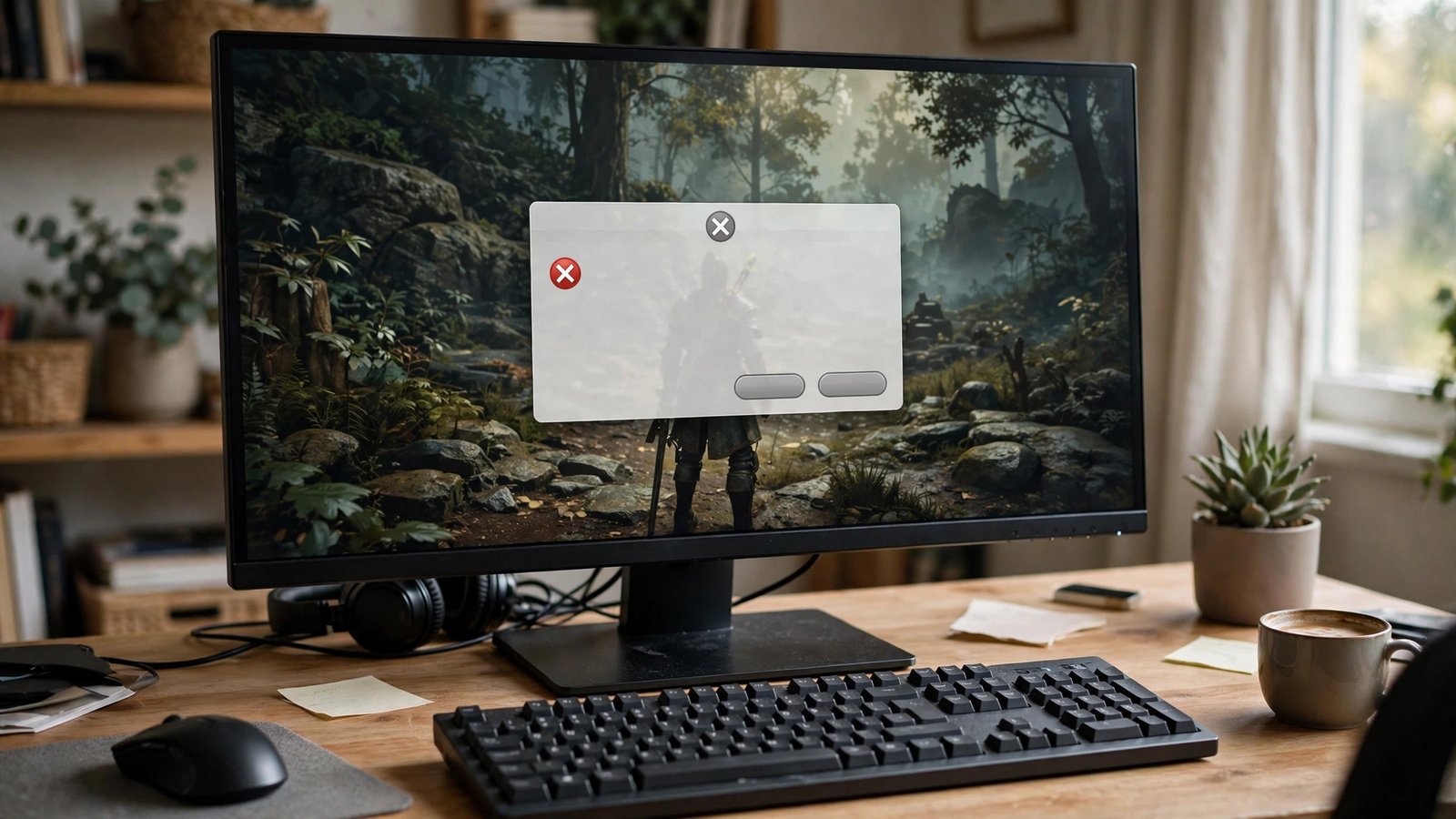
    You installed the latest Windows 11 update, launched your game, and now it crashes to desktop — every time, sometimes before the menu even loads. Few things are more infuriating, because the update was supposed to improve things. The good news is that post-update game crashes follow a predictable pattern: the update changed something underneath your games (drivers, security features, or system files), and the fix is almost always undoing or adapting to that change rather than reinstalling everything in sight. Work through these steps in order and you will find the culprit without the nuclear option.

    Step 1: Update Your GPU Drivers Cleanly

    The number one cause of post-update crashes is a driver conflict. Windows updates frequently replace or interfere with graphics drivers, leaving you with a mismatched mess. Do not just click “update” in your GPU app — do a clean install. Download Display Driver Uninstaller (DDU), boot into Safe Mode, wipe the graphics driver completely, then install the latest driver fresh from NVIDIA, AMD, or Intel’s website. This takes ten minutes and resolves a remarkable percentage of post-update crashes, because it removes the corrupted driver state the update left behind. While you are at it, check for chipset and motherboard driver updates too — Windows updates can desync those as well. The Microsoft guide to updating drivers in Windows covers the built-in path if you prefer it, though DDU plus a manual install is the more thorough route.

    Step 2: Check Windows Security Features That Break Games

    Windows 11 ships with virtualization-based security features — Memory Integrity (HVCI) and Virtual Machine Platform — that can conflict with certain games and their anti-cheat systems after an update re-enables or changes them. If your crashes started right after an update and your drivers are clean, open Windows Security, go to Device Security, Core Isolation, and check whether Memory Integrity got toggled on. Some games and anti-cheat drivers (notably older ones) crash or refuse to launch with it enabled. Similarly, check that virtualization settings in your BIOS match what your games expect — an update can reset BIOS-adjacent Windows settings. This is also the moment to verify your anti-cheat: games like Valorant, Destiny 2, and others require Secure Boot and TPM states that updates occasionally disturb. The game’s own support page usually documents its exact security requirements.

    Step 3: Roll Back the Update (Temporarily)

    If crashes began the same day as a specific update, the update itself is suspect — and Windows lets you remove it. Go to Settings, Windows Update, Update History, Uninstall Updates, and remove the most recent cumulative or feature update. Test your game. If the crashes stop, you have confirmed the cause and bought yourself time while Microsoft or the game developer ships a fix. This is a diagnostic step, not a permanent lifestyle: running an unpatched Windows indefinitely is a security risk. Set a reminder to reinstall the update in a few weeks, and check the game’s forums or the Microsoft community forums to see whether others report the same conflict and whether a patch has landed.

    Step 4: Verify Game Files and Reinstall Redistributables

    Updates can corrupt game files and shared libraries without touching the game itself. In Steam, right-click the game, Properties, Installed Files, Verify Integrity — this re-downloads anything damaged. For other launchers, use their equivalent repair or scan function. Then reinstall the Visual C++ Redistributables and DirectX: these shared libraries live outside the game folder, updates sometimes break them, and a fresh install from Microsoft’s website fixes a whole class of mysterious launch crashes. Also clear the game’s shader cache if it has one — corrupted cached shaders after a driver or OS change cause crashes that look exactly like deeper problems. These steps are boring and unglamorous, and they fix more crashes than any other single category of action.

    Step 5: Look at Overlays, RGB Software, and Background Apps

    The update may not have broken the game at all — it may have broken something running alongside it. Discord’s overlay, GeForce Experience’s overlay, MSI Afterburner with RTSS, RGB control software, and even some antivirus real-time scanners hook into games at a low level, and OS updates regularly change the interfaces they hook. Disable all overlays and close background utilities one group at a time, testing the game after each change. Pay special attention to anything that updated itself around the same time as Windows. If the game runs clean with everything off, re-enable apps one by one to find the offender, then check that app for an update — the vendor has usually patched compatibility within days. This step feels tedious, but it is pure process of elimination and it works.

    Step 6: Check Thermals, RAM, and Storage Health

    Sometimes the update is a coincidence. A Windows update stresses the system — long installs, heavy disk activity, thermal cycles — and that stress can expose hardware that was already marginal. If crashes happen across multiple games and include blue screens, run Windows Memory Diagnostic to check your RAM, check your drive’s health with CrystalDiskInfo, and monitor temperatures during gaming. A GPU creeping past 85°C or a CPU thermal-throttling will crash games regardless of software. Also confirm your drive is not full: Windows updates need breathing room, and a system drive above 90% capacity causes instability that masquerades as game-specific problems. Hardware issues do not care about your update schedule — rule them out before assuming software guilt.

    Step 7: The Targeted Reinstall (Not the Nuclear One)

    If nothing has worked, reinstall — but surgically. Uninstall the crashing game completely, including leftover folders in Documents and AppData where corrupted configs and caches hide, then reinstall fresh. If multiple games crash, consider an in-place Windows repair install (using the Media Creation Tool’s “upgrade this PC” option), which reinstalls Windows while keeping your files and apps — far less destructive than a full wipe and surprisingly effective at clearing update-induced corruption. A full clean Windows install is the absolute last resort, and honestly, if you have reached that point, the hardware checks in Step 6 deserve a second look first. Most post-update crash sagas end at Step 1 or Step 4; very few survive to Step 7.

    Post-update game crashes are almost always driver conflicts, re-enabled security features, or corrupted shared libraries — not broken games. Clean-install your GPU drivers first, check Memory Integrity and anti-cheat requirements second, and verify game files third. Reinstall Windows only after everything else has failed.

    Conclusion

    A game that crashes after a Windows 11 update is frustrating but rarely mysterious: the update disturbed drivers, security settings, or shared files, and each has a direct fix. Clean-install your GPU drivers, check virtualization-based security features against your game’s anti-cheat requirements, roll back the update to confirm the cause, verify game files and redistributables, eliminate overlay and background-app conflicts, and rule out hardware before considering any reinstall. Work the list in order and you will spend an hour troubleshooting instead of a weekend reinstalling. For more PC gaming walkthroughs, browse our gaming guides, meet the team behind them, or send us your tech questions.

    Frequently Asked Questions

    Why do Windows updates break games that worked fine before?

    Updates change low-level system components — graphics driver interfaces, security virtualization, memory management — that games and anti-cheat software depend on. Most games adapt fine, but driver mismatches and re-enabled security features cause the majority of post-update crashes.

    Is it safe to uninstall a Windows update?

    Yes, as a temporary diagnostic step. Windows keeps the option in Update History for exactly this reason. Do not stay on the uninstalled update forever, though — reinstall it once the conflict is resolved to keep receiving security patches.

    Should I disable Memory Integrity permanently for gaming?

    Only if a specific game requires it and you understand the tradeoff — Memory Integrity is a real security feature. Try updating the game and its anti-cheat first; developers usually patch compatibility. Disabling it is a workaround, not a fix, and you should re-enable it when you can.

    Can a Windows update damage my hardware?

    No — updates cannot physically damage components. But the heavy disk and CPU activity during a big update can expose already-failing hardware (bad RAM sectors, a dying drive), making it look like the update caused a hardware problem that was actually waiting to happen.

    My game crashes only in multiplayer after the update. Is that different?

    Often yes — multiplayer crashes point at anti-cheat or network components rather than graphics. Check the anti-cheat’s requirements (Secure Boot, TPM, HVCI settings), verify the game’s network ports are not blocked by a reset firewall, and confirm the game servers themselves are not having issues before troubleshooting your PC.

  • When Should High School Juniors Start Applying for Scholarships

    When Should High School Juniors Start Applying for Scholarships

    You are a high school junior, college feels simultaneously far away and terrifyingly close, and someone just told you that scholarship money runs out if you wait too long. They are right — but “start early” is vague advice that does not tell you what to do this month versus next spring. The real scholarship timeline has specific windows: some money is genuinely first-come, some peaks in fall of senior year, and the biggest awards require months of preparation you should start now. Here is the month-by-month reality for juniors, what to do in each phase, and how to avoid the mistakes that cost students thousands.

    Spring of Junior Year: Build the Foundation (Now)

    If you are reading this in the spring of junior year, you are right on time — this is the foundation phase. Your three jobs: First, build the scholarship resume. List every activity, award, volunteer hour, job, and leadership role with dates — you will reuse this for dozens of applications, and reconstructing it senior fall under deadline pressure is miserable. Second, start the essay bank: most scholarship essays recycle the same five prompts (overcoming a challenge, leadership, community impact, career goals, financial need). Draft one strong 500-word personal statement now and you will adapt it endlessly later. Third, research strategically: create a spreadsheet of target scholarships with deadlines, requirements, and award amounts. Start with local awards — community foundations, rotary clubs, employers of your parents, your church or community organizations — because local scholarships have 50 to 500 applicants instead of 50,000, and juniors who start local win disproportionately.

    Summer Before Senior Year: The Work Window

    Summer is the highest-ROI scholarship season and the most wasted one. With no school competing for your time, you can complete 10 to 15 applications before senior year even starts — entering fall with submissions already done while classmates are just beginning. Prioritize: large national scholarships with fall deadlines (Coca-Cola Scholars, Dell Scholars, Gates Scholarship — all due in fall of senior year and all requiring substantial applications you should draft in summer), state programs with early deadlines, and any scholarship whose application opens in summer. Also use summer to request recommendation letters: ask teachers and mentors now, giving them two months of lead time and your resume plus a note about what each scholarship values. Teachers write dramatically better letters with time and context than with a two-week panic request in October. And get your FAFSA documents organized — the form opens October 1 and many scholarships require the Student Aid Index it generates.

    Fall of Senior Year: Peak Application Season

    September through December is when the majority of significant scholarship deadlines cluster — this is the main event. Your system: dedicate 3 to 5 hours per week to applications, treating it like a part-time job that pays thousands per hour (because it does). Apply in tiers: reach scholarships (large nationals, low odds, high reward), match scholarships (state programs, university merit awards where your stats fit), and safety scholarships (local awards, employer programs, small niche awards with few applicants). The math favors volume at the safety/match level: ten $1,000 local scholarships you are likely to win beat one $10,000 national you probably will not. Track everything in your spreadsheet — submitted, pending, won, lost. And file the FAFSA the week it opens: many merit scholarships require it, and need-based state grants are first-come, first-served in most states.

    Winter and Spring of Senior Year: The Second Wave

    Students who stop applying after December leave money on the table. January through April brings the second wave: college-specific departmental scholarships (often with spring deadlines and shockingly few applicants), spring-cycle community foundation awards, and niche scholarships tied to your intended major, heritage, hobbies, or career plans. This is also when you negotiate: if College A offered you $8,000 in merit aid and College B offered $12,000, you can ask College A to reconsider — polite, documented appeals work more often than families expect. Keep applying until you graduate; some of the least-competitive awards have April and May deadlines precisely because everyone else stopped looking. And read every award letter’s fine print: renewable versus one-time, GPA requirements to keep the money, and whether outside scholarships reduce your institutional aid (some colleges do — know before you celebrate).

    The Mistakes That Cost Thousands

    Learn from everyone else’s errors. Mistake 1: only chasing big national scholarships — the expected value of ten local applications dwarfs one famous longshot. Mistake 2: reusing essays without tailoring — committees spot generic essays instantly; spend 20 minutes customizing each one to the scholarship’s stated values. Mistake 3: missing the FAFSA — even “merit-only” families should file, since many scholarships require it and you cannot know your Student Aid Index without it. Mistake 4: ignoring employer and union benefits — your parents’ employers, your own part-time job, and family union memberships often include scholarships nobody claims. Mistake 5: falling for scholarship scams — never pay to apply, never pay for “guaranteed” matches; legitimate scholarships are free. The Federal Student Aid site, BigFuture’s scholarship search, and your high school counselor are the trustworthy starting points. And mistake 6: treating scholarship essays as English assignments — committees want authentic voice and specific stories, not five-paragraph formality.

    Start building in spring of junior year (resume, essay bank, local research), do the heavy applications in summer, hit peak season in fall of senior year, and keep going through spring. The students who win the most money aren’t the most accomplished — they’re the most systematic.

    The Junior-Year Checklist (Tear This Out)

    Your concrete action list, in order: (1) Build the activities resume this month. (2) Draft the core personal statement essay. (3) Create the scholarship spreadsheet and add 20+ local and regional awards. (4) Register on two legitimate free scholarship search sites (Fastweb, Scholarships.com, or the College Board’s tool — pick two, ignore the rest). (5) Identify three recommendation-letter writers and give them a heads-up. (6) This summer: complete 10+ applications and draft the big fall applications. (7) October 1: file the FAFSA. (8) Fall: 3-5 hours weekly on applications through December. (9) Spring: second-wave applications plus aid negotiation. Follow this and you will have applied to 30 to 50 scholarships by graduation — a volume at which winning becomes a statistical likelihood, not a lottery ticket.

    Conclusion

    High school juniors should start scholarship work now — spring for foundation-building, summer for the heavy applications, fall of senior year for peak season, and spring for the second wave and negotiation. The system rewards the organized: local awards, tailored essays, early FAFSA filing, and sheer volume at the match/safety level. Start this week with the resume and the spreadsheet; future you, holding award letters, will be grateful. For more college finance guidance, explore our education section, learn about who writes these guides, or send us your scholarship question — we read every message.

    Frequently Asked Questions

    When should high school juniors start applying for scholarships?

    Start preparing in spring of junior year (resume, essays, research) and begin submitting applications the summer before senior year. Peak deadlines cluster September-December of senior year, with a second wave January-April. Juniors who start early win disproportionately because they hit early deadlines relaxed and prepared.

    How many scholarships should I apply for?

    Aim for 30-50 applications by graduation. Prioritize local and regional awards (fewer competitors) alongside a few national reaches. The math strongly favors volume at the match/safety level — ten winnable $1,000 scholarships beat one unlikely $10,000 national.

    Are scholarship search websites legitimate?

    The established free ones are: Fastweb, Scholarships.com, and the College Board’s scholarship search. Never pay to search or apply — fees are the hallmark of scams. Your high school counselor and local community foundations are the most trustworthy sources of winnable awards.

    Do I need to file the FAFSA to get merit scholarships?

    Often yes — many merit scholarships and all need-based aid require a filed FAFSA. Some colleges use it to calculate your Student Aid Index for their own awards. File it the week it opens (October 1) regardless of your family’s income; skipping it closes doors you can’t see.

    Can I negotiate a college’s financial aid offer?

    Yes. If a comparable college offered more merit aid, write a polite appeal to the financial aid office with documentation — these reconsideration requests succeed more often than families expect, especially in spring when colleges are filling classes. It costs nothing to ask.

  • How Can I Become a Morning Person When I Have Been a Night Owl for Years

    How Can I Become a Morning Person When I Have Been a Night Owl for Years

    Midnight is when your brain finally hums; mornings are a foggy punishment endured with coffee. But life runs on morning time, and you are tired of feeling like you live in the wrong time zone. Can a lifelong night owl become a morning person? Yes — with an asterisk. You probably cannot rewire your fundamental chronotype, but you can shift your schedule earlier by one to two hours and learn to thrive in the morning. The people who succeed shift gradually and use light like the powerful drug it is.

    The Biology: What Can and Cannot Change

    Chronotype — your tendency toward morningness or eveningness — is substantially genetic, roughly 40 to 50 percent heritable. True night owls have a delayed circadian rhythm: melatonin rises later, and peak alertness genuinely occurs in the evening. This is biology, not laziness — but biology is not destiny. Circadian rhythms are entrainable: consistent light exposure and schedule discipline can shift sleep timing by 1 to 2 hours sustainably. Set the right goal: not “become a different person,” but “shift my functional day earlier by 60 to 90 minutes.” The Sleep Foundation’s chronotype guide explains the science in detail.

    Shift Gradually: The 15-Minute Rule

    The number-one reason conversions fail is speed. Going from a 1 a.m. bedtime to 10:30 p.m. overnight hits your body like brutal jet lag — you lie awake, conclude “this doesn’t work,” and quit. Instead, shift in 15-minute increments every 3 to 4 days, moving bedtime and wake time together. A 90-minute shift takes about three weeks — slow enough for your circadian rhythm to follow. Protect total sleep time during the transition: waking earlier means sleeping earlier, not sleeping less. Gradualism feels frustratingly slow; it is also the only approach that works.

    Light: The Most Powerful Lever You Have

    Light is the primary signal your brain uses to set its clock. Get bright light within 30 minutes of waking — ideally 15 to 30 minutes of outdoor daylight, which dwarfs indoor lighting even on cloudy days. In dark winters, a 10,000-lux light therapy box for 20 to 30 minutes at breakfast works well. Equally important: dim the evenings. Blue-rich screen light at night delays your clock, undoing morning progress. Two hours before target bedtime, dim the house lights and switch devices to night mode or off. Light discipline is two-sided — bright mornings AND dark evenings. The NHLBI’s guide to healthy sleep covers light’s role in sleep regulation.

    Anchor the Wake Time (Even on Weekends)

    Wake up at the same time every day, including weekends, within 30 minutes. Consistent wake time is the strongest entraining signal for your circadian rhythm, because it anchors the light exposure that sets the clock. The classic pattern — early alarm weekdays, sleeping until noon Saturday — creates “social jet lag” every weekend. During the transition months this is non-negotiable; once stable (2 to 3 months), allow up to an hour of weekend flexibility. Set one alarm across the room and get up when it rings — the snooze button is the enemy of entrainment.

    Build Mornings Worth Waking For

    Mechanics alone will not sustain the change — you need mornings that reward the effort. Night owls often dread mornings because their mornings have historically been rushed, miserable sprints. Redesign them: identify one genuinely pleasant anchor for the first 30 minutes — a good coffee ritual, a walk while the world is quiet, reading, stretching, music. Prepare the night before so mornings start smoothly: clothes laid out, bag packed, coffee set up. Keep the first hour low-demand: no email, no news, no decisions — protect it as your runway. Exercise timing matters: morning exercise reinforces the advance (and improves daytime alertness), while vigorous late-evening exercise can delay sleep — shift workouts earlier during the transition. And manage caffeine strategically: a morning cup is fine and genuinely helps, but cut caffeine by early afternoon — its half-life means afternoon coffee is still in your system at midnight, sabotaging the earlier bedtime. The goal is mornings you do not dread, which makes the alarm a beginning rather than an interruption.

    Realistic Expectations and the Long Game

    Be honest about the endpoint. After months of consistent practice, you will likely be a functional, even content, earlier riser — waking at 6:30 feeling rested instead of waking at 8:30 feeling wrecked. You will probably never be the person who leaps out of bed at 5 a.m. singing, and that is fine — that was never the goal. Some evenings you will still feel most creative at 10 p.m.; protect a little of that rather than eliminating it. Expect setbacks: travel, illness, and stressful periods will yank your schedule later, and you will need to re-shift gradually afterward — this is maintenance, not failure. If after months of genuine effort (consistent wake times, light discipline, gradual shifts) you still cannot fall asleep before 2 a.m. and suffer daytime impairment, consider that you may have delayed sleep phase disorder rather than a habit problem — a sleep specialist can help, and it is a recognized, treatable condition. For most lifelong night owls, though, the gradual, light-anchored approach delivers a real, sustainable shift. You do not need to become a different animal. You just need to move your day a little earlier — and a little earlier changes everything.

    Lifelong night owls can shift 60–90 minutes earlier sustainably: move bedtime and wake time in 15-minute increments, get bright light within 30 minutes of waking, dim evenings aggressively, and hold the same wake time seven days a week. Gradual and light-anchored beats heroic and overnight.

    Conclusion

    Becoming a morning person as a lifelong night owl is not about willpower or 5 a.m. heroics — it is about working with your biology instead of against it. Shift gradually in 15-minute steps, use morning light and evening darkness as your primary tools, anchor everything to a consistent wake time (weekends included), and build mornings worth waking for. Aim for a realistic 60- to 90-minute shift, not a personality transplant. In a few months, you will be living proof that the owl can learn mornings — on its own terms. For more on sleep and daily rhythms, explore our personal development guides, learn about our team, or tell us about your sleep.

    Frequently Asked Questions

    Can I really change my chronotype?

    Partially. Chronotype is substantially genetic, but circadian timing is entrainable — most people can sustainably shift 1 to 2 hours earlier with consistent light exposure and schedule discipline. Extreme transformations (night owl to 5 a.m. riser) rarely hold. Aim for a meaningful shift, not a new identity.

    How long does the transition take?

    Shifting 60 to 90 minutes at 15 minutes per 3–4 days takes 3 to 6 weeks for the schedule change, plus 2 to 3 months for the new rhythm to feel stable and automatic. Rushing it produces jet-lag-like misery and usually fails. Patience is the mechanism.

    Do I really have to keep the same wake time on weekends?

    During the transition, yes — within 30 minutes. Weekend lie-ins create social jet lag that undoes the week’s progress every time. Once the new schedule is stable (a few months), you can allow up to an hour of flexibility, but chronic weekend oversleeping will drag you back.

    What if I do everything right and still can’t fall asleep early?

    After months of genuine consistent effort, persistent inability to fall asleep before very late hours with daytime impairment may indicate delayed sleep phase disorder — a recognized, treatable circadian condition. See a sleep specialist rather than blaming your discipline; light therapy and chronotherapy under guidance can help.

    Is melatonin useful for shifting earlier?

    Low-dose melatonin (0.5–1 mg) taken several hours before the target bedtime can help advance the clock when combined with morning light — timing matters more than dose, and higher doses are not better. Consult a doctor first, especially with other medications or health conditions, and treat it as a short-term aid, not a permanent crutch.

  • How to Play PC Games on Your Phone While Traveling

    How to Play PC Games on Your Phone While Traveling

    Your gaming PC sits at home while you are stuck in an airport, a hotel, or a relative’s guest room — but your Steam library does not have to stay behind. Playing PC games on your phone while traveling is genuinely practical in 2026, not a tech-demo gimmick. Between remote streaming from your own PC, cloud gaming services that run the game on distant servers, and a few hardware accessories that make a phone feel playable, you can get a real session in from almost anywhere with decent internet. The trick is picking the right method for your trip, because each one has different demands on your connection and your wallet.

    Option 1: Stream From Your Own PC With Steam Link or Moonlight

    If your gaming PC stays powered on at home, remote streaming turns your phone into a wireless monitor for it. Steam Link is the simplest starting point: install the app on your phone, pair it with your PC running Steam, and your whole library appears, controller support included. Moonlight paired with Sunshine (the open-source host software) is the enthusiast favorite — it uses NVIDIA’s streaming protocol, delivers lower latency and better image quality than Steam Link, and works over the internet, not just your home network. The catch is upload speed at home: your PC must push the video stream out, so you need at least 15 to 20 Mbps of upload bandwidth for smooth 1080p. Before a trip, test it from a coffee shop. If it feels good there, it will feel good from a hotel. The Steam Link setup guides on the Steam store cover pairing in a few minutes.

    Option 2: Cloud Gaming Services That Need No PC at All

    Do not want to leave your PC running for a week? Cloud gaming services run the game on their own servers and stream the video to your phone — your hardware barely matters. NVIDIA GeForce NOW lets you play games you already own on Steam, Epic, and other stores across free and paid tiers, with the paid tiers unlocking higher resolutions and longer sessions. Xbox Cloud Gaming comes bundled with Game Pass Ultimate and streams a rotating library directly through the browser or app. Amazon Luna and similar services fill out the options. The requirement here is download speed and latency on your end: 25 Mbps down and a ping under 60ms to the nearest server gives a good experience. Hotel Wi-Fi is the wildcard — always test with the service’s free tier before committing to a paid plan for a trip. The GeForce NOW system requirements page lists exactly what each tier needs.

    What Your Connection Actually Needs

    Every method lives or dies on the network, so understand the numbers. For remote streaming from your PC, home upload speed is the bottleneck — most cable plans offer far less upload than download, and 10 Mbps up will produce a blocky, stuttering mess. For cloud gaming, your current location’s download speed and latency matter most. Latency under 40ms feels nearly local; 60 to 80ms is playable for most genres; above 100ms, stick to turn-based games and strategy. Use your phone’s hotspot as a backup plan — 5G connections often outperform hotel Wi-Fi for both speed and latency, though they will chew through data fast (streaming 1080p uses roughly 8 to 10GB per hour). Download your games’ offline-capable titles as a fallback: many single-player PC games run fine with no connection at all once launched.

    The Controller Question: Touch Controls Versus Real Hardware

    Touch controls are fine for strategy games, card battlers, and point-and-click adventures — and terrible for shooters and action games. For anything demanding, bring a controller. A telescoping phone controller that clamps around your handset turns it into a convincing handheld console and packs flat in a carry-on. Alternatively, most modern Bluetooth controllers pair directly with phones: Xbox and PlayStation controllers both work, and a simple phone clip mount turns that combo into a portable rig. Pair the controller before you leave home, not in the hotel lobby — Bluetooth pairing fights with hotel captive portals in annoying ways. Whatever you bring, test the full chain (controller to phone to stream) at home first. Debugging three new links in the chain at midnight in a hotel room is nobody’s idea of a vacation.

    Picking Games That Survive Streaming

    Not every game streams equally well, and choosing wisely makes the difference between a great trip and a frustrating one. Turn-based strategy, RPGs, deck-builders, management sims, and story adventures are ideal — latency barely matters when the game waits for you. Competitive shooters and fighting games are the worst candidates; even 50ms of added latency changes outcomes. A smart travel library mixes a few streamed heavy-hitters with natively installed mobile-friendly PC ports and offline games for dead zones like airplanes. Before the trip, install your chosen games’ mobile apps where they exist, verify your cloud saves sync (Steam Cloud, Xbox cloud saves), and download anything you might want offline. Nothing kills a travel session like discovering your save is on the PC at home.

    Battery, Heat, and Data: The Practical Realities

    Streaming video for hours is one of the heaviest things a phone can do. Expect serious battery drain — a power bank or a seat with USB power is essentially mandatory for long sessions. Phones also throttle when hot, and a throttled phone drops frames; take the case off during long sessions and avoid playing with the phone sitting on a warm blanket. On data: streaming at 1080p consumes about 8 to 10GB per hour, so an “unlimited” plan with a hotspot cap can surprise you — check whether your carrier throttles hotspot data after a threshold. Drop the stream to 720p when on cellular; on a six-inch screen the difference is small and the data savings are large. These are unglamorous details, but they are what separate travelers who actually game from travelers who tried once.

    Playing PC games on your phone while traveling comes down to three choices: stream from your home PC with Moonlight or Steam Link, use a cloud service like GeForce NOW, or play offline-capable games natively. Test your full setup — connection, controller, and saves — at home before you leave.

    Conclusion

    You do not have to leave your PC library behind when you travel. Stream from your own rig with Steam Link or Moonlight if your home upload speed allows it, lean on cloud gaming services when it does not, and keep offline games ready for airplanes and dead zones. Bring a real controller, mind your data and battery, and pick genres that forgive latency. Test everything once at home and the hotel session will just work — your backlog is not going to clear itself. For more gaming setup walkthroughs, browse our gaming guides, meet the team behind them, or send us your tech questions.

    Frequently Asked Questions

    Can I play my Steam games on my phone without buying them again?

    Yes, with both main methods. Steam Link and Moonlight stream games you already own from your own PC at no extra cost. GeForce NOW lets you play many Steam games you own on their servers — you log into your existing Steam account, so there is nothing to rebuy for supported titles.

    How much upload speed do I need at home for remote streaming?

    At least 15 to 20 Mbps of upload for smooth 1080p at 60 fps. Most fiber connections handle this easily; many cable plans do not. Test from outside your home network before a trip — in-home tests hide upload bottlenecks completely.

    Will cloud gaming work on hotel Wi-Fi?

    Sometimes. Hotel Wi-Fi varies wildly — some hotels deliver 50+ Mbps with low latency, others crumble under evening load. Always test with a free tier first, prefer 5GHz networks, and keep your phone’s 5G hotspot as a backup. Wired ethernet via a USB-C adapter is the most reliable hotel option when available.

    Do I need a special controller for phone gaming?

    No. Standard Xbox and PlayStation controllers pair with phones over Bluetooth and work with most streaming apps. Telescoping phone controllers are nicer for travel since they form one unit with the phone, but any Bluetooth controller you already own is a fine start.

    How much mobile data does game streaming use?

    Roughly 8 to 10GB per hour at 1080p, or 3 to 4GB per hour at 720p. On a phone screen, 720p looks nearly as good and dramatically reduces data use. Check your carrier’s hotspot throttle threshold before a long trip.

  • How to Study for the SAT in 6 Weeks Without a Tutor

    How to Study for the SAT in 6 Weeks Without a Tutor

    Six weeks until the SAT, no tutor, no thousand-dollar prep course — just you, a library card, and a score that matters for admissions and scholarships. Good news: six weeks is actually the sweet spot for self-study. It is long enough to fix real weaknesses and short enough to sustain intensity, and the research on test prep is clear — structured self-study with official practice tests closes most of the gap between tutored and untutored students. Tutors help with accountability and strategy, but the actual score gains come from understanding the test’s patterns and drilling your weak spots, both of which you can do alone. Here is the exact six-week plan.

    Week 1: Diagnose Before You Drill

    Do not open a prep book yet. Take one full, timed, official practice test first — the College Board’s free tests in the Bluebook app are the only diagnostics that matter, because third-party tests do not replicate the real SAT’s adaptive format and question style. Take it in one sitting, timed, with no phone, exactly like test day. Then spend two hours analyzing every miss: categorize each error as content gap (did not know the math concept), careless error (misread, arithmetic slip), time pressure (ran out of time), or strategy error (did not know how to approach the question type). This error log is your entire study plan — a student who misses algebra questions needs different work than one who misses evidence-based reading questions. Most students discover their score is 100 to 200 points below potential purely from fixable patterns, not from lack of knowledge.

    Weeks 2-4: Targeted Content Work

    Now attack the error log systematically. For Math: the SAT tests a narrow slice of math — algebra, linear equations, basic quadratics, ratios, percentages, and data analysis cover the vast majority of questions. Use Khan Academy’s free Official SAT Prep, which personalizes to your diagnostic and is genuinely excellent — it is the rare free resource built with College Board data. Master one topic at a time: learn the concept, drill 20 questions, then move on. For Reading and Writing: the digital SAT’s short passages reward one skill above all — finding textual evidence fast. Practice active reading: after each passage, force yourself to point to the exact lines supporting your answer before selecting it. Grammar rules tested are finite (subject-verb agreement, punctuation, transitions) — learn them as rules, not vibes. Study 60 to 90 minutes daily, five to six days a week; consistency beats marathon sessions.

    Weeks 5-6: Full Tests and Test-Day Strategy

    The final two weeks shift from learning to performing. Take one full timed practice test per week (weeks 5 and 6), always in test-day conditions — morning, timed, no interruptions. Between tests, review every error with the same categorization system from week 1; by now the patterns should be shrinking. This is also when you install the strategic habits that tutored students pay for: on Math, plug in answer choices for algebra questions (often faster than solving); skip and return to time-sinks rather than bleeding minutes; on Reading, answer the specific questions before the general ones. Learn the digital SAT’s adaptive structure: your performance on module 1 determines module 2’s difficulty — which means the opening questions of each module carry extra weight, so slow down slightly at module starts. And drill your pacing with a watch: know exactly how many minutes per question your target pace allows, because running out of time is a strategy failure, not a knowledge failure.

    The Daily Habits That Add 50+ Points Free

    Several zero-cost habits move scores without any studying. Sleep: a full week of 8+ hour nights before the test measurably improves cognitive performance — the all-nighter before is the single most score-destroying move available. Vocabulary in context: read one challenging article daily (science or opinion sections of major papers) and look up unfamiliar words — the SAT tests words in context, and reading stamina matters as much as word knowledge. Mental math: practice arithmetic without a calculator for 10 minutes daily; the no-calculator fluency speeds up the entire math section. Error journaling: keep a running notebook of every practice mistake and its lesson — students who journal errors improve faster because they stop repeating the same misses.

    Free Resources Ranked: What to Actually Use

    The internet is drowning in SAT prep; most of it wastes your six weeks. Tier 1 (use daily): the College Board’s Bluebook app with official practice tests and Khan Academy’s Official SAT Prep — real College Board material in the adaptive format. Tier 2 (use for weak spots): the College Board’s free question bank by topic, and your school library’s copy of the official study guide. Tier 3 (supplementary): quality YouTube explanations for specific concepts you cannot crack alone — search the exact topic, not generic “SAT tips.” Avoid: paid apps with subscription traps, third-party practice tests that do not match the digital format, and “SAT hacks” content promising 300-point gains from tricks — the gains come from content mastery and pattern recognition, not hacks. Total cost of this plan: $0. Total time: roughly 60 to 80 hours over six weeks — the same hours a tutor would assign, minus the invoice.

    Six weeks of self-study beats a tutor you can’t afford: diagnose with one official timed test, spend three weeks drilling only your actual weak spots with Khan Academy, then shift to full tests and strategy. The score gains come from pattern recognition and error analysis — both free.

    The Final Week: Taper Like an Athlete

    Treat the last seven days as a taper, not a cram. Take your final full practice test 5 to 7 days before the real thing — not the day before, when a bad score would rattle you. The last three days: light review only (error journal, formula sheet, grammar rules), no new material. Two nights before: normal sleep schedule, no screens late. The day before: gather your admission ticket, ID, approved calculator, and snacks; visit the test center if it is unfamiliar; exercise lightly; eat normally. Test morning: real breakfast, arrive 30 minutes early, and bring layers — testing rooms are famously freezing. During the test: trust your preparation, use your pacing plan, and remember that the experimental questions do not count — if a passage feels impossibly hard, it might be unscored, so do not let it rattle the rest of your test.

    Conclusion

    Studying for the SAT in six weeks without a tutor is not a compromise — it is a plan: one diagnostic test, three weeks of targeted drilling on your real weaknesses with free official resources, two weeks of full-test performance training, and a disciplined final taper. Students who follow structured self-study gain nearly as much as tutored students, because the work is the same — only the invoice differs. Your score is improvable, your timeline is sufficient, and your budget is irrelevant. Start with the diagnostic today. For more college admissions guidance, explore our education section, learn about who writes these guides, or send us your test-prep question — we read every message.

    Frequently Asked Questions

    Is 6 weeks enough time to study for the SAT?

    Yes — six weeks is the sweet spot for focused prep. It is enough to diagnose weaknesses, drill content gaps, and practice full tests, while short enough to sustain daily intensity. Most score gains come from fixing patterns and learning test strategy, both achievable in this window with consistent daily work.

    Can I do well on the SAT without a tutor?

    Absolutely. Research shows structured self-study with official practice materials closes most of the tutored-vs-untutored gap — tutors provide accountability and strategy, but the actual gains come from practice and error analysis, which are free. The College Board’s Bluebook tests and Khan Academy prep are the core of an effective $0 plan.

    How many hours a day should I study for the SAT?

    Sixty to 90 minutes daily, five to six days a week — roughly 60-80 hours total over six weeks. Consistency beats marathons: daily focused sessions with error review outperform occasional four-hour crams. Take one full rest day weekly to avoid burnout.

    What is the best free SAT prep resource?

    Khan Academy’s Official SAT Prep (personalized, built with College Board data) plus the College Board’s Bluebook app with official adaptive practice tests. These two free resources cover everything a paid course does — real questions in the real format. Everything else is supplementary.

    Should I take the SAT more than once?

    Most students improve on a second attempt, and colleges generally consider your highest scores (many superscore across dates). Plan for two test dates: your six-week prep targets the first, and a second sitting 1-2 months later gives you a low-pressure improvement shot with targeted additional prep.

  • Why Do I Procrastinate on Things I Actually Want to Do

    Why Do I Procrastinate on Things I Actually Want to Do

    Here is the paradox that makes no sense until it does: you genuinely want to write the novel, learn the language, start the business, call your mother — and yet you scroll, nap, reorganize the spice rack, anything but the thing you want. This is not the procrastination of hating a task. This is procrastinating on your own desires, which feels like a betrayal by your own brain. “If I really wanted it, I would just do it — so maybe I do not really want it?” That conclusion is wrong, and it is corrosive. The truth, backed by decades of research, is stranger and more hopeful: procrastination is not about laziness or time management. It is about emotion management. And once you understand that, the way out becomes clear.

    The Paradox: Wanting It and Avoiding It

    The confusion comes from a faulty model of motivation: we assume desire automatically produces action, so inaction must mean insufficient desire. But human behavior does not work that way. You can desperately want the outcome (the finished novel, the fit body, the thriving business) while dreading the process emotions attached to it — the boredom of the first draft, the discomfort of the workout, the fear of the sales call. Procrastination researchers, notably Dr. Tim Pychyl and Dr. Fuschia Sirois, have shown that procrastination is fundamentally a mood-regulation strategy: we avoid the task to avoid the unpleasant feelings it triggers, opting for short-term mood repair (scrolling feels better now) at the cost of long-term goals. This is why the tasks we most want — the meaningful, identity-relevant ones — are often the most procrastinated: they carry the heaviest emotional freight. The novel matters, so failing at it would hurt; the spice rack does not matter, so organizing it is emotionally safe. You are not avoiding the work. You are avoiding the feelings the work triggers.

    The Mood-Repair Trap

    Understanding the mechanism reveals the trap: procrastination works, briefly. Avoiding the dreaded task genuinely relieves the bad mood — for about twenty minutes. Then the guilt arrives, the deadline looms closer, the task feels bigger, and the mood is worse than before, which makes starting even harder. This is the procrastination doom loop: bad mood → avoid → temporary relief → guilt and bigger task → worse mood → avoid harder. Each cycle strengthens the association between the task and misery. The critical insight from the research: the mood you are trying to repair is caused by your thoughts about the task, not the task itself. “This will be awful and I’ll fail” generates dread; the actual first ten minutes of work are rarely as bad as the anticipatory dread. Procrastinators are not time-management failures — they are emotion-management strugglers using avoidance as their regulation tool. The fix is not better scheduling. It is better emotional handling of the starting moment.

    Science-Backed Ways to Start

    Since the problem is emotional, the solutions are emotional. First, shrink the start: commit to just 10 minutes, or the first tiny step (“open the document and write one sentence”). Starting is the entire battle — research on the Zeigarnik effect shows that once begun, tasks pull you forward; the dread lives almost entirely in the pre-start phase. Second, address the specific emotion: if it is boredom, add temptation bundling (only listen to your favorite podcast while exercising); if it is fear of failure, lower the stakes deliberately (“this draft will be terrible and that’s fine”); if it is overwhelm, break the task until the next step is laughably small. Third, use implementation intentions: “When [time/trigger], I will [tiny action] at [place]” — pre-deciding bypasses the emotional negotiation. Fourth, practice self-compassion, not self-criticism: Dr. Sirois’s research shows that people who forgive themselves for procrastinating procrastinate less afterward, while self-attack increases avoidance. The inner drill sergeant is not motivating you; it is the reason you are hiding. Finally, make the start visible and easy: lay out the running shoes, open the document the night before — every bit of friction removed is emotion managed.

    Redesign the Task, Not Just Yourself

    Sometimes the procrastination is data: the task as currently conceived is genuinely aversive, and redesigning it beats white-knuckling through. Hate the gym? The goal is movement — try dancing, hiking, martial arts, or walking meetings. Dreading the novel? Maybe dictation, co-writing sessions, or a different project structure removes the specific pain point. Ask: “What exactly about this task repels me?” — the answer is usually specific (the blank page, the admin, the loneliness of it) and fixable. Add accountability that fits: a writing group, a workout partner, a coach, or a public commitment — social expectations are powerful starters. Change the environment: work in a café, a library, or a co-working space where the context cues productivity. And examine the goal itself honestly: occasionally, persistent procrastination on a “want” reveals it is actually a “should” — someone else’s dream you adopted. If a year of strategies has not moved it, consider whether the desire is truly yours. Letting go of a false want is not failure; it frees energy for real ones.

    When Procrastination Signals Something Deeper

    Most procrastination is the mood-management pattern described above. But sometimes chronic avoidance signals something needing more than tactics. If procrastination is global — you cannot start anything, even pleasurable things — and accompanied by exhaustion, emptiness, or loss of interest, that may be depression, not laziness; talk to a professional. If it is paired with chronic disorganization, time blindness, and impulsivity across your life, consider whether ADHD might be a factor — it is underdiagnosed in adults and highly treatable. Perfectionism-driven paralysis (“if I can’t do it perfectly I can’t start”) responds well to the therapeutic approaches for perfectionism. The key distinction: tactical procrastination improves with the strategies above within weeks; if nothing shifts despite genuine effort, look deeper without shame. There is no moral hierarchy here — brains differ, and some need different support. Getting that support is the opposite of procrastination; it is the most decisive action of all. The APA’s stress management resources can help with the pressure that accompanies chronic avoidance. The American Psychological Association’s procrastination resources cover both the behavioral patterns and when to seek help.

    Procrastinating on things you want is not laziness — it is mood management. You avoid the task to dodge the unpleasant emotions attached to it, which brings brief relief followed by guilt. Break the loop by shrinking the start, addressing the specific emotion, practicing self-compassion, and redesigning the task itself.

    Conclusion

    You do not procrastinate on your desires because you do not want them — you procrastinate because wanting them makes the emotions around them heavier. Stop treating it as a time-management failure and start treating it as emotion management: shrink the starting step until it is painless, name and address the specific feeling, forgive yourself instead of flogging yourself, and redesign tasks that are genuinely aversive. Most of the dread lives in the moment before starting; the work itself is rarely as bad as the anticipation. Start tiny, start now, and let the Zeigarnik effect carry you. For more on working with your brain instead of against it, explore our personal development guides, learn about our team, or tell us what you keep postponing.

    Frequently Asked Questions

    If I procrastinate on it, do I really want it?

    Yes — desire and avoidance coexist constantly. Research shows the most procrastinated tasks are often the most meaningful ones, because they carry the heaviest emotional freight (fear of failure, perfectionism). Inaction reflects emotion management, not insufficient desire. Judge your wants by what you envy and dream about, not by your starting speed.

    What is the single most effective anti-procrastination technique?

    Shrinking the start — committing to just 10 minutes or one tiny first step. The dread lives almost entirely before beginning; once started, the Zeigarnik effect (the brain’s urge to complete begun tasks) pulls you forward. Every other technique supports this one core move: making starting painless.

    Does self-compassion really reduce procrastination?

    Yes — research by Dr. Fuschia Sirois found that people who forgave themselves for procrastinating were less likely to procrastinate afterward. Self-criticism increases the negative emotions that drive avoidance, creating a cycle. The inner drill sergeant feels productive but actually fuels the problem.

    How is procrastination different from laziness?

    Laziness is apathy — not caring about the outcome. Procrastinators care deeply; that is precisely the problem, because caring generates the performance emotions (fear, perfectionism) they then avoid. Chronic procrastinators are often highly ambitious people paralyzed by the weight of their own standards, the opposite of lazy.

    When should I worry that procrastination is something more?

    If avoidance is global (even pleasurable activities feel impossible), persistent despite genuine strategy use, and accompanied by exhaustion, emptiness, or disorganization across life domains, consider depression or ADHD — both common, treatable, and nothing to be ashamed of. Tactical procrastination improves with tactics; if nothing shifts, look deeper.

  • When Should You Upgrade Your Graphics Card for 1440p Gaming

    When Should You Upgrade Your Graphics Card for 1440p Gaming

    1440p is the sweet spot of PC gaming — visibly sharper than 1080p without the brutal hardware demands of 4K — but it is also the resolution where graphics cards go to show their age first. One year your card cruises at 144 frames per second; the next, new releases have you dropping settings to medium just to stay above 60. The question is never whether you will upgrade eventually, but when the upgrade actually buys you something worth the money. Here is how to read the signals and time it right.

    The Performance Signals That Mean “Now”

    Your games are already telling you. The clearest signal is settings erosion: if you have dropped from high to medium presets in recent releases to hold 60 fps at 1440p, your card has fallen behind the current generation’s baseline. A second signal is the 1% lows — those stutters and hitches during busy scenes. Average frame rates can look fine while the worst 1% of frames tank, and that stutter is what makes a game feel bad. A third signal is new features you cannot use: if every discussion of a game you want mentions ray tracing, frame generation, or upscaling modes your card does not support, you are locked out of the modern toolkit. Two of these three hitting at once means the upgrade will be felt every single day.

    Check for Bottlenecks Before You Blame the GPU

    A new graphics card cannot fix a problem that is not the graphics card’s. Before spending $400 or more, confirm the GPU is actually your limiter. Run your most demanding game with a monitoring overlay and watch GPU utilization: if it sits at 95 to 100% while the CPU cruises at 50%, the GPU is the bottleneck and an upgrade will help directly. If the GPU is at 70% while one or two CPU cores are maxed out, you are CPU-limited — a faster card will sit idle waiting for data. Also check your RAM: 16GB is the realistic minimum for modern 1440p gaming, and running single-channel or slow DDR4 can cost 10 to 15% of your frame rate. The GPU database and reviews at TechPowerUp are the gold standard for comparing exactly where your current card sits.

    The Generation Cycle: Timing the Market

    Graphics cards release in generations roughly every two years, and where you buy in that cycle matters enormously. The worst time to buy is the three to six months before a new generation launches: you pay full price for soon-to-be last-gen hardware, and launch-day availability is usually terrible anyway. The best time is typically six to twelve months after a launch, when prices have settled, driver maturity has improved performance, and the used market is flooded with previous-generation cards from early adopters. If your current card is tolerable and a new generation is rumored within six months, waiting is almost always the right call. The performance-per-dollar jump between generations at the midrange is routinely 30 to 50%, which dwarfs any sale price on old stock.

    What “Enough” Looks Like for 1440p Right Now

    For high-refresh 1440p (120Hz and up) in current games at high settings, you want a card in the upper-midrange tier with at least 12GB of VRAM — 8GB cards are increasingly hitting memory limits at 1440p with high-resolution texture packs, causing stutter that no settings tweak fixes. For 60 fps at high settings, the midrange tier suffices. Upscaling (DLSS, FSR, XeSS) has changed the math: a card that renders internally at a lower resolution and upscales can punch well above its raw power, so factor in which upscaling tech a card supports — it effectively extends a card’s 1440p lifespan by a generation. Be honest about your monitor: buying a card for 165Hz when your display is 75Hz wastes money you will never see. Match the card to the monitor you actually own.

    The Used Market: Where the Real Deals Live

    The used GPU market is the budget 1440p gamer’s best friend, with one caveat: buy smart. Previous-generation cards from gamers upgrading to the latest release are often lightly used and sell for 40 to 60% of their original price. Prioritize sellers with original boxes and receipts, ask whether the card was used for mining (mining cards are not automatically bad, but they should be priced accordingly and have been run hard), and test immediately on arrival with a stress test like FurMark plus a real game session. Local marketplaces let you test before paying, which is worth a small premium. A used previous-gen upper-midrange card frequently outperforms a new current-gen budget card at the same price — the Tom’s Hardware GPU hierarchy ranks every card by real gaming performance, making used-market comparisons straightforward.

    Budget Math: The Cost-Per-Year Rule

    Think of a GPU purchase as buying years of 1440p gaming, not buying a card. A $500 card that serves you well for four years costs $125 per year; a $300 card you replace after two years costs $150 per year and delivers a worse experience throughout. The sweet spot is usually the upper-midrange card from the current or previous generation — strong enough to last three to four years at 1440p, cheap enough that the math works. Set a firm budget before shopping, then buy the best cost-per-year option inside it rather than stretching for a flagship whose extra 15% performance costs 60% more money.

    Upgrade Day Checklist

    When the new card arrives, a few steps protect your investment. Use Display Driver Uninstaller (DDU) in Safe Mode to wipe old drivers before swapping cards — leftover driver fragments cause a disproportionate share of “new GPU, weird problems” complaints. Check that your power supply has the right connectors and enough wattage headroom (add 100W to the card’s rated draw as a safety margin). Measure your case: modern cards are long, and “it should fit” has disappointed many buyers. After installation, reinstall drivers fresh, enable Resizable BAR in your BIOS if your platform supports it (a free few percent in many games), and re-run your benchmark game to confirm the gains.

    Upgrade when your card can no longer hold your target frame rate at settings you enjoy — not when a new card exists. Confirm the GPU is the real bottleneck, buy six to twelve months into a generation, target 12GB+ of VRAM for 1440p longevity, and judge every option by cost per year of good gaming.

    Conclusion

    The right time to upgrade your graphics card for 1440p gaming is when the signals converge: settings dropping to medium, 1% lows stuttering through busy scenes, and new features locked behind hardware you do not have. Verify the GPU is truly the bottleneck, time your purchase for the settled middle of a generation, buy enough VRAM to age gracefully, and let the used market stretch your budget. A well-timed upper-midrange upgrade buys three to four years of excellent 1440p gaming — which is exactly what the resolution is for. For more hardware walkthroughs, browse our gaming guides, meet the team behind them, or send us your build questions.

    Frequently Asked Questions

    Is 8GB of VRAM enough for 1440p gaming in 2026?

    It is becoming marginal. Many current releases with high texture settings exceed 8GB at 1440p, causing stutter when the card has to swap textures in and out. 12GB is the comfortable minimum for a card you intend to keep for several years; 8GB cards are now better suited to 1080p.

    Should I upgrade my GPU or my monitor first?

    The GPU first, unless your monitor is below 1440p or stuck at 60Hz with no adaptive sync. A great monitor cannot display frames your card cannot render. But if your card already pushes 100+ fps and your monitor caps at 60Hz, the monitor is wasting performance you already own.

    How much power supply do I need for a midrange upgrade?

    Most upper-midrange 1440p cards pair fine with a quality 650W power supply; budget a 750W unit if you are buying near the top of the midrange. Check the card manufacturer’s recommendation, then add headroom — and make sure the PSU has the required PCIe power connectors.

    Does DLSS/FSR really extend a card’s life?

    Yes, meaningfully. Quality-mode upscaling renders at a lower internal resolution and reconstructs the image, typically gaining 30 to 50% performance with minimal visual cost. A card with good upscaling support stays viable at 1440p roughly a year longer than its raw specs suggest.

    Is it worth waiting for the next generation if my card is struggling now?

    If launches are more than six months away, no — that is half a year of bad gaming to save a modest amount. If a launch is confirmed within three months and your card is merely mediocre rather than miserable, waiting usually pays off in either lower prices or better options.

  • What to Major In If You Love Writing and Need a Stable Career

    What to Major In If You Love Writing and Need a Stable Career

    You love writing — the kind of love where you rewrite emails three times and keep a notes app full of half-finished essays — but every adult in your life has gently suggested you major in something “practical,” and the starving-artist cliché looms over every conversation. Here is what the cliché gets wrong: writing is not a career, it is a skill, and it is one of the highest-leverage skills in the modern economy. The question is not “writing versus stability” — it is which major pairs your writing ability with a market that pays for it. Plenty of majors do exactly that. Here is how to choose one without abandoning the thing you love.

    Reframe the Question: Writing Is the Multiplier, Not the Major

    The most successful writers in stable careers rarely majored in “writing.” They majored in something the world pays for — then out-wrote everyone in the room. A nurse who writes clearly becomes the charge nurse who writes the protocols. An engineer who writes well becomes the one who lands the clients and leads the team. Hiring managers across industries consistently rank written communication among the top skills they cannot find, which means strong writing is a differentiator inside any stable field, not a consolation prize. So instead of asking “what writing major pays?”, ask “in which stable field would great writing make me exceptional?” That single reframe opens up dozens of majors where your talent becomes a career accelerant rather than a financial risk.

    The Best-of-Both-Worlds Majors

    Several majors sit directly at the intersection of writing and stability. Communications and public relations: every organization needs people who write — PR specialists, corporate communications managers, and content strategists earn solid middle-class salaries with strong demand. Marketing: the entire digital economy runs on written content, and marketing writing (copywriting, content marketing, SEO) is one of the most reliably employable writing-adjacent skills. Technical writing: the hidden gem — technical writers translate complex information into clear documentation for tech, healthcare, and finance companies, earning $70,000 to $100,000+ with a chronic talent shortage. Journalism is evolving rather than dying: data journalism, newsletter businesses, and brand journalism have replaced some newsroom jobs. And English itself is not the trap people claim — English majors with internships and a plan (law, publishing, marketing, UX writing) do fine; English majors with no plan confirm the stereotype. The major matters less than the portfolio and internships you build inside it.

    The “Stable Field + Writing Minor” Strategy

    The highest-expected-value play for many writing lovers: major in the stable field, minor in writing, and let the combination do the work. Nursing plus writing ability leads to healthcare communications, patient education, or nursing leadership. Computer science plus writing leads to developer advocacy, technical writing, or product management — roles where communication skill commands a premium over pure coding. Business plus writing leads to marketing leadership, consulting, or entrepreneurship. Law is the classic: it is fundamentally a writing profession disguised as an arguing profession, and strong writers have a genuine edge in law school and practice. Education needs writing teachers desperately. The pattern: pick the field with strong baseline economics, then deploy writing as your unfair advantage within it. You will never be the “starving writer” because your paycheck comes from the field; you will never be bored because your edge comes from the craft.

    What the Salary Data Actually Says

    Let us ground this in numbers rather than vibes. Technical writers: median pay around $80,000, with experienced specialists clearing six figures — and the Bureau of Labor Statistics’ Occupational Outlook Handbook projects steady demand. PR specialists: median in the mid-$60,000s, rising fast with experience and specialization. Content marketing managers: $70,000 to $90,000 at established companies. UX writers (writing for apps and interfaces): $90,000+ in tech hubs, one of the fastest-growing writing roles. Copywriters: wide range, but experienced direct-response and B2B copywriters earn $80,000 to $150,000+. Compare the “impractical” English major outcomes: mid-career median earnings for humanities majors land respectably — the earnings gap versus STEM is real but far smaller than legend suggests, and it narrows further for graduates who add internships, technical skills, or graduate school. The data’s real message: the writers who struggle are not the ones who chose writing — they are the ones who chose nothing else alongside it.

    Building the Portfolio While You Study

    Whatever you major in, employability as a writer comes from proof, not diplomas. Start building in freshman year: write for the campus paper, start a newsletter, freelance for local businesses, maintain a portfolio site with your best 10 to 15 pieces. Internships are the real currency — one summer internship in content marketing, communications, or publishing teaches more about employability than a semester of theory. Learn the adjacent skills that multiply writing income: basic SEO, email marketing, data literacy (enough to read analytics), and one content management system. These take weeks to learn and permanently raise your market value. And network like a professional from sophomore year: informational interviews with working writers in fields that interest you will teach you more about viable paths than any advisor. The National Association of Colleges and Employers publishes annual data on what employers actually seek in new graduates. The students who graduate into writing careers are not the ones with the best grades — they are the ones with clips, contacts, and proof they can do the work.

    Don’t choose between writing and stability — combine them. Major in the field with strong economics, minor in writing (or build the portfolio alongside), and let great writing be your unfair advantage inside a career that pays. The starving artist chose writing alone; you don’t have to.

    Majors to Approach With Eyes Open

    Honesty requires naming the harder paths. Pure creative writing MFAs and poetry-focused tracks have the weakest direct employment pipelines — pursue them for love with a parallel practical plan, not as the whole plan. Print journalism programs that have not adapted to digital are training for a shrinking segment; prefer programs strong in data, multimedia, and audience. And any major — including the “safe” ones — fails without internships and initiative. The flip side: there is no major that guarantees outcomes and none that forbids them. Philosophy majors become tech executives; biology majors become science writers; business majors become novelists. Your major is a starting position, not a destiny — choose the one that gives you the strongest start while keeping the writing fire lit.

    Conclusion

    If you love writing and need a stable career, the answer is not to abandon writing — it is to aim it. Choose a major at the intersection of your talent and market demand (communications, marketing, technical writing), or pair a stable field with writing as your differentiator, build a portfolio from day one, and learn the adjacent skills that multiply your value. Writers who plan do not starve; they get hired. For more college and career guidance, explore our education section, learn about who writes these guides, or ask us your major-choice question — we read every message.

    Frequently Asked Questions

    Is an English major a waste of money?

    No — but it is a major that requires a plan. English majors with internships, portfolios, and direction (law, publishing, marketing, UX writing, teaching) do well. English majors who drift confirm the stereotype. The major is fine; the absence of a strategy is the problem.

    What is the highest-paying writing career?

    Among pure writing roles: UX writing and technical writing in tech ($90,000-$130,000+), experienced B2B copywriting ($80,000-$150,000), and content strategy leadership. The highest-paid “writers” are often in law, consulting, and executive communications — fields where writing is the core skill inside a lucrative profession.

    Should I double major in writing and something practical?

    It is a strong option if you can handle the workload without burning out — but a major-plus-minor or major-plus-portfolio often achieves the same result with more flexibility. Employers care about proof of writing ability (clips, internships) more than the second diploma.

    Can I make a living as a creative writer?

    A small percentage do from books alone — but many working novelists, poets, and essayists support themselves through adjacent work: teaching, editing, copywriting, content strategy, or communications roles. The sustainable model is a stable writing-adjacent career funding the creative work, not the reverse.

    What should I do in college to become employable as a writer?

    Build a portfolio (10-15 strong pieces), complete at least two internships, learn adjacent skills (SEO, analytics basics, email marketing), write for campus publications, and conduct informational interviews with working writers. Proof of work beats credentials in every writing-adjacent hire.

  • How Do I Rebuild My Life After a Divorce at 50

    How Do I Rebuild My Life After a Divorce at 50

    The divorce papers are signed. The house is too quiet, or too empty, or suddenly too big. At 50, after decades of building a life around a partnership — the routines, the friends, the plans for “someday” — you are starting over in a chapter you never auditioned for. Friends mean well (“you’re free now!”), but freedom was not what you ordered, and the grief is real even if the marriage had been struggling for years. Here is what nobody tells you clearly enough: rebuilding after divorce at 50 is not about “bouncing back” to who you were. It is about building someone new — wiser, freer, and more deliberately yourself than the marriage years allowed. And 50 is not too late. It is barely halftime.

    Grieve the Life You Planned — Fully

    Before rebuilding, you must acknowledge what was lost, and it is more than the spouse. You lost the future you imagined: growing old together, the retirement plans, the family holidays in their familiar shape. You lost daily companionship, shared history, and an identity — “husband,” “wife,” “partner” — that organized your social world. This grief is legitimate even if you initiated the divorce, even if the marriage was unhappy; humans grieve lost futures, not just good pasts. Let yourself feel it without a timeline: anger, relief, terror, and loneliness can coexist in the same afternoon. Talk to a therapist — divorce is one of life’s most stressful events, and professional support is not weakness, it is strategy. Lean on friends, but choose the ones who listen rather than those who trash your ex (which keeps you tethered to the conflict). And beware the rebound trap: the urge to fill the void quickly with a new relationship usually postpones the grief rather than resolving it. The American Psychological Association’s divorce resources describe the emotional stages and why rushing past them backfires.

    Secure the Practical Foundation First

    Grief needs a stable floor beneath it. In the first months, prioritize the unglamorous practicalities. Finances: get a complete picture — accounts, debts, retirement funds, the settlement terms. Many divorcing people, especially those who were not the primary money manager, discover financial blind spots; a fee-only financial planner experienced with divorce (a CDFA designation helps) is worth every penny. Build an emergency fund if the settlement depleted yours. Housing: decide deliberately whether to keep the house — it holds memories (good and bad) and often costs more than it is worth emotionally; many find a fresh space accelerates healing. Legal loose ends: update your will, beneficiaries, powers of attorney, and insurance — divorced people frequently forget these, with painful consequences. Health insurance: if you were on your spouse’s plan, secure COBRA or marketplace coverage immediately; a gap at 50 is risky. These tasks feel overwhelming stacked together, so sequence them: one practical project per week. Each secured foundation piece reduces the ambient anxiety that makes everything else harder.

    Rebuild Your Days: Routine Is Medicine

    Divorce shatters daily structure — the morning coffee for two, the shared evenings, the weekend rhythms. Rebuilding routine is not trivial; it is the scaffolding your new life hangs on. Design days deliberately: consistent wake time, movement (walking is underrated medicine for grief and anxiety), real meals, and a bedtime that protects sleep. Reclaim domestic competence if the marriage divided labor — learning to cook, manage the house, or handle the finances solo is empowering, not embarrassing. Redecorate, even slightly: changing the bedroom, rearranging furniture, or simply removing the artifacts of the old life signals to your brain that this space is yours now. Fill the calendar proactively — empty weekends are where loneliness breeds. Take a class, join a hiking group, volunteer, restart the hobby the marriage crowded out. The goal is not distraction but reconstruction: days with shape, purpose, and small pleasures. Within months, the new routines feel less like effort and more like life.

    Rediscover Who You Are Apart From “Us”

    Long marriages blur identities — “we” liked this restaurant, “we” vacationed there, “we” were the couple who… At 50, rediscovering the “I” is profound work. Ask the questions you have not asked in decades: What do I actually enjoy? What would I do with a free Saturday if no one else’s preferences mattered? What did I dream about at 25 before life narrowed? Try things without commitment: a pottery class, solo travel, a new sport, learning an instrument — treat this as a research phase, not a performance. Reconnect with old friends from before the marriage; they remember versions of you that you forgot. Many divorced-at-50 people describe this phase as the most alive they have felt in years — the grief and the discovery coexist, and that is normal. Your 50s can be a second adolescence in the best sense: old enough to know yourself, free enough to act on it. The identity you build now, chosen rather than inherited, is often sturdier than the one the marriage provided.

    Connection, Dating, and the Future

    Loneliness after divorce is real, and addressing it matters — isolation is terrible for health at any age. Rebuild your social world intentionally: friendships first, romance later (most therapists suggest waiting at least a year before serious dating, and the advice exists for good reason). Join communities around interests, not around being single — activity-based connections form more naturally than support-group-adjacent ones, though divorce support groups are genuinely valuable early on. When you do consider dating, know that the landscape at 50+ is active and full of people in exactly your situation; approach it with curiosity rather than desperation, and with clear knowledge of what you want this time. Protect your finances and your heart equally: take things slowly, watch for love-bombing, and keep your reclaimed independence. And redefine success: a fulfilling post-divorce life might include partnership, or it might not — the goal is a life you chose, rich with connection, purpose, and self-respect. AARP’s relationships and divorce resources offer practical guidance specifically for the 50-plus transition.

    Rebuilding after divorce at 50 means grieving the planned future fully, securing finances and housing deliberately, reconstructing daily routines, rediscovering who you are apart from “us,” and rebuilding connection on your own terms. It is not bouncing back — it is building forward, wiser and freer.

    Conclusion

    Divorce at 50 is an ending, but endings are also clearings — and clearings are where new things grow. Grieve honestly, secure your practical foundation one project at a time, rebuild your days with deliberate routine, rediscover the person the marriage years muted, and let connection return at its own pace. You bring to this chapter something your 25-year-old self lacked: self-knowledge, resilience, and the clarity that comes from surviving hard things. The next decades can be the most authentically yours yet. For more on navigating life’s big transitions, explore our personal development guides, learn about our team, or share your rebuilding story.

    Frequently Asked Questions

    How long does it take to recover from divorce at 50?

    There is no fixed timeline, but most people feel significantly better within 1 to 2 years, with the first 6 months typically the hardest. Recovery is not linear — expect waves. Active rebuilding (therapy, routine, social connection, practical progress) shortens the timeline considerably compared to passive waiting.

    Should I keep the house after divorce?

    It depends on finances and emotions, not sentiment alone. Keeping the house provides stability but can anchor you to memories and strain finances; many find a fresh space accelerates healing. Run the numbers honestly (can you afford it solo, including maintenance?) and notice whether the house feels like home or a museum.

    When is it okay to start dating after divorce?

    Most therapists suggest waiting at least a year, allowing grief to process and identity to stabilize. Rushing into romance often postpones healing rather than completing it. When you do date, lead with clarity about what you want, take it slowly, and protect both your heart and your finances.

    How do I handle mutual friends after divorce?

    Some friendships will naturally sort themselves; do not force people to choose, but accept that some will drift. Invest in the friends who show up for you without taking sides. Building new friendships around interests (not the divorce) gives you community free of divided loyalties.

    Will I ever feel like myself again?

    You will feel like a new version of yourself — and most people report that version is stronger. The goal is not returning to the pre-marriage you but integrating the experience into someone wiser. The grief fades; the growth stays. Give the process the time it deserves.